The best speech to text
and text to speech app
you'll ever use

The three ways I use it every day

How Chippy works

  • Hotkey

    One key, tapped. You never open an app, switch windows, or paste anything in.

  • Anywhere

    Any selectable text on your Mac. Browser, editor, PDF, mail, terminal, agent scrollback.

  • Instant

    It starts talking while you keep going. No queue, no reading list, no save for later.

  • History

    Every listen is replayable at any speed, from a folder that lives on your machine.

What Chippy can do for you

  • Hear the words

    Some sentences do not land until you hear them out loud. The person who made this is the same way, and that is why it exists.

  • Keep up with agents

    They write faster than you can read. Select the block, tap the key, and listen while you work on the next thing.

  • Edit by ear

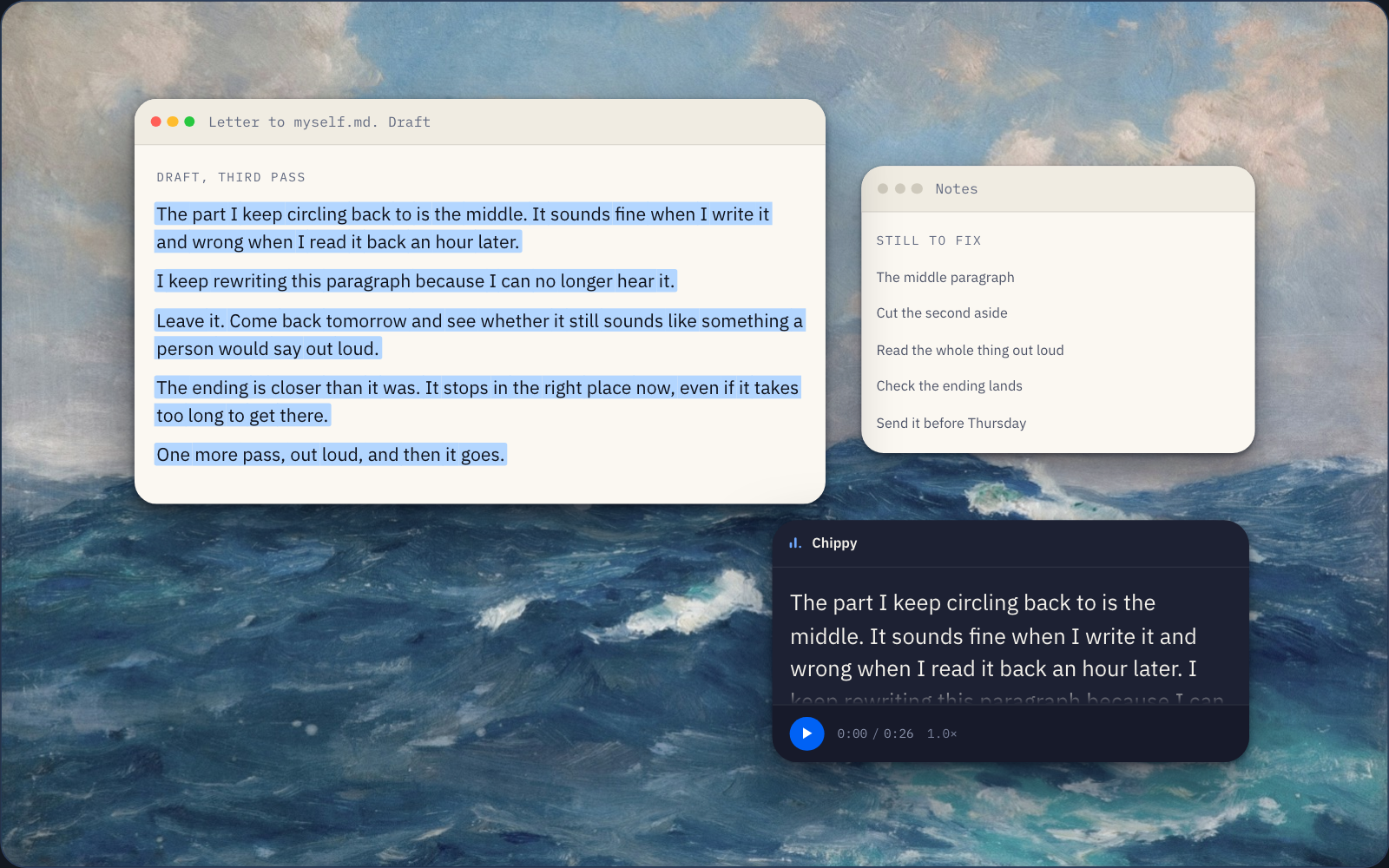
    A draft you have read nine times stops being readable. You hear the mistakes you can no longer see.

  • Rest your eyes

    Reading takes your eyes, your posture, your whole attention. Listening takes none of them.

Chippy is how I learned to help myself. After I created the first version I couldn't stop using it because it's so helpful. It has become integral to my life.

I made Chippy a product so that everyone can help themselves in the way that Chippy helps me everyday. I can't wait for you to try it.

Z, the maker of Chippy

Why I made Chippy, in my words

Download Chippy for macOS

Join the waitlist

Chippy has a free tier, and the paid plans are on the pricing page. Your email address is the whole of it, no password to invent, and it is how you get the app back if you lose it.

Thank you for your interest in Chippy. There is no public build yet, so leave your address: you get a confirmation email now, and one more the moment there is a build.